ABC Shortcuts
This powerful webpart is designed to simplify your daily navigation by providing easy access to all departmental shortcuts in one centralized location.
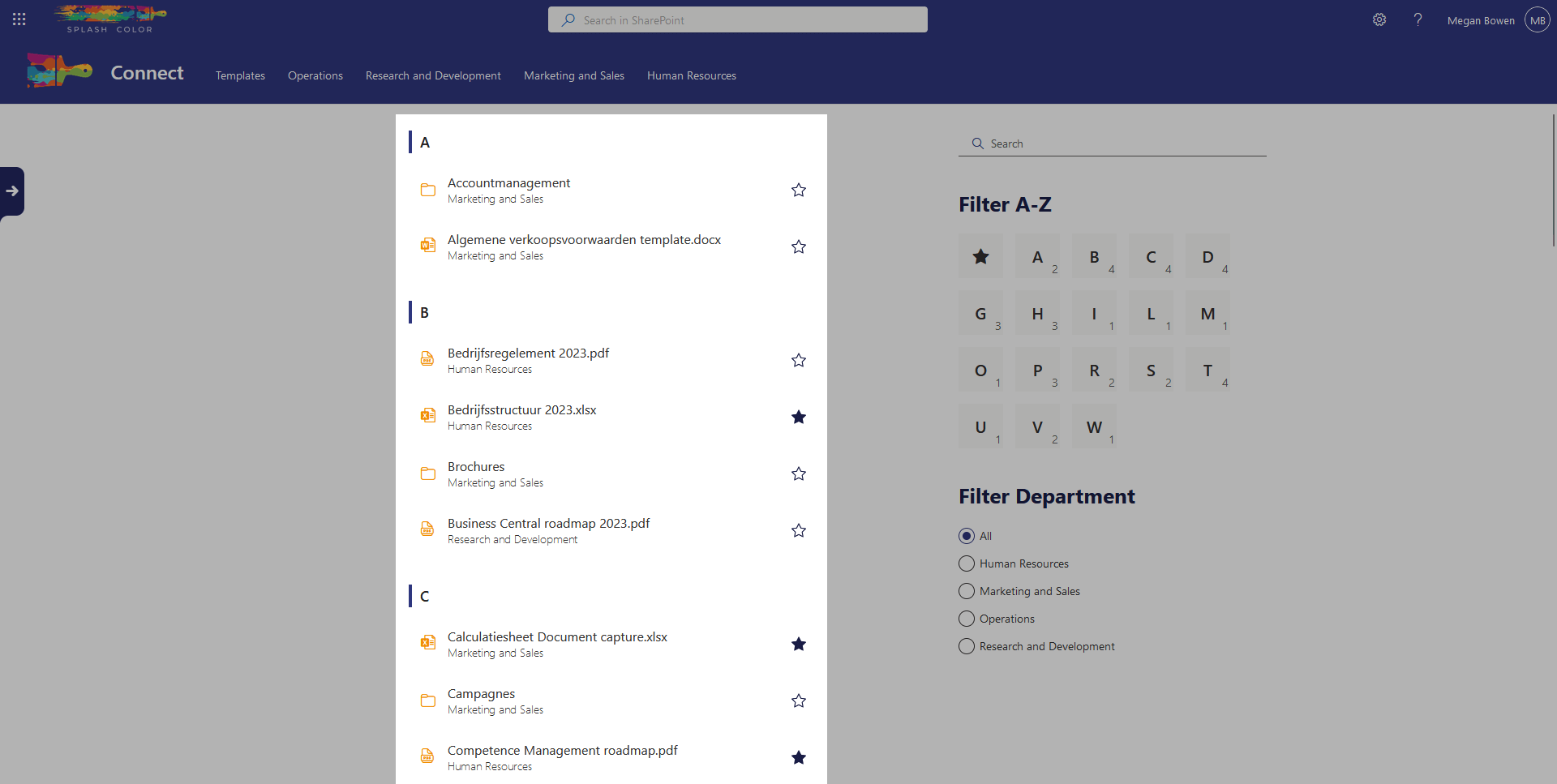
With ABC Shortcuts, you can say goodbye to the hassle of searching for frequently visited links, pages, files, and folders. It streamlines your workflow by displaying all shortcuts in alphabetical order, making it quick and easy to find what you need.
The best part? You can favorite certain items so they appear in the Favorites webpart for even faster access. No more wasting time searching through folders to find that one important link or document.
ABC Shortcuts also allows you to list all files in certain libraries, making it easy to navigate and manage your files. And with the Dynamic filter webpart, you can modify the content and search on specific criteria, giving you even greater control over your organization's intranet.
In short, ABC Shortcuts is the ultimate shortcut organizer for your intranet. It simplifies your navigation, saves you time, and increases your productivity.
Architecture
One unique aspect of the webpart architecture is its ability to monitor multiple lists, providing a more flexible and dynamic user experience.
In the case of the GMI Sales Intranet, the webpart is configured to monitor both a list and several libraries. However, unlike traditional webparts that are tied to a specific list or library, this webpart can be configured to monitor any combination of lists or libraries.
Specifically, the webpart on GMI Sales looks at the DepartmentShortcuts list, as well as the Human Resources, Marketing and Sales, Operations, and Research and Development libraries. This allows users to quickly access the most relevant and up-to-date information from across multiple departments.
By leveraging the webpart architecture to monitor multiple data sources, GMI Sales have created a more streamlined and efficient way for users to interact with their SharePoint site. Whether they need to view department-specific information or access company-wide resources, the webpart provides a single, unified interface that makes it easy to find what they need.
Configuration options
Enable filtering
This allows the content to be modified by the webpart Dynamic filter